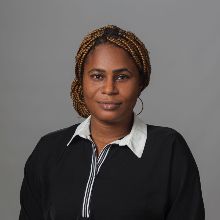
Rachel Irabor
Microsoft MVP


HỌC HỎI, KẾT NỐI, XÂY DỰNG
Bạn đã sẵn sàng bắt đầu với AI và các công nghệ mới nhất chưa? Microsoft Reactor cung cấp các sự kiện, đào tạo và tài nguyên cộng đồng để giúp các nhà phát triển, doanh nhân và công ty khởi nghiệp xây dựng dựa trên công nghệ AI và hơn thế nữa. Tham gia với chúng tôi!
HỌC HỎI, KẾT NỐI, XÂY DỰNG
Bạn đã sẵn sàng bắt đầu với AI và các công nghệ mới nhất chưa? Microsoft Reactor cung cấp các sự kiện, đào tạo và tài nguyên cộng đồng để giúp các nhà phát triển, doanh nhân và công ty khởi nghiệp xây dựng dựa trên công nghệ AI và hơn thế nữa. Tham gia với chúng tôi!
8 tháng 3, 2023 | 1:00 CH - 2:00 CH (UTC) Giờ phối hợp quốc tế
 Phát trực tiếp
Chủ đề: Thấp / Không có mã
Ngôn ngữ: Tiếng Anh
What is the session about?
The employees need to receive a confirmation email after submitting booking requests in the app. They also need to receive an email when the manager has made a decision to accept or decline the booking request. Here, you'll create Power Automate flows that send an email each time a booking request is submitted and each time the booking request decision column has been updated. You'll validate the flow behavior against requirements to check your work.
You need to build some automation for your app that meets the following specifications:
• When an employee submits a Booking Request, an email is sent to them confirming that the request was received.
• When a decision has been made on a Booking Request, the employee receives an email to update them on the decision.
Who is it aimed at?
This session is for students, early career and professionals who are interested in learning a skill that can accelerate their career. If you are interested in what Power Platform can do, this session is for you.
To follow along, you need to access the onboarding resources. Verify your learning during the series by joining and completing this Cloud Skills Challenge.
You will also need a Microsoft Power Platform License, we get you covered in case you don't have this click here. to setup a Microsoft Developer Account and a Microsoft Power Apps Developer Account. This will give you access to all the services and Licenses you will need to follow along and build your own solutions.
Người phát biểu
Rachel Irabor
Microsoft MVP
Someleze Diko
Microsoft
Sự kiện này là một phần của Let's Build Together: LowCode Edition show Series.
Bấm vào đây để truy cập Trang Series nơi bạn có thể xem tất cả các sự kiện sắp tới và theo yêu cầu.