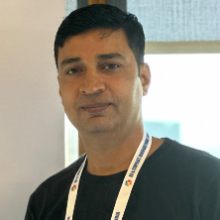
Mahender Pal
Corner MVP Principal consultant


August 7, 2026 | 9:30 - 10:30 AM (UTC) Coordinated Universal Time
Ready to get started with AI and the latest technologies? Microsoft Reactor provides events, training, and community resources to help developers, entrepreneurs and startups build on AI technology and more. Join us!
August 7, 2026 | 9:30 - 10:30 AM (UTC) Coordinated Universal Time
Ready to get started with AI and the latest technologies? Microsoft Reactor provides events, training, and community resources to help developers, entrepreneurs and startups build on AI technology and more. Join us!
August 7, 2026 | 9:30 - 10:30 AM (UTC) Coordinated Universal Time
 Livestream
Topic: AI Applications
Language: English
In this practical technical session, you will learn how to build an enterprise Employee HR Policy Assistant using Microsoft Copilot Studio, Azure AI Foundry, Azure AI Search, Azure Blob Storage, AI models, and Retrieval-Augmented Generation (RAG).
The assistant will securely search approved HR documents such as employee handbooks, leave policies, travel guidelines, reimbursement rules, remote-work policies, and benefits information to provide accurate, contextual, and source-based answers.
During the session, you will learn how to:
• Store enterprise HR documents securely in Azure Blob Storage.
• Index and retrieve policy information using Azure AI Search.
• Use semantic, vector, and hybrid search for better document retrieval.
• Configure chat and embedding models in Azure AI Foundry.
• Build a RAG-based solution that generates grounded answers from company documents.
• Create the employee-facing assistant in Microsoft Copilot Studio.
• Display citations and source references in generated responses.
• Reduce hallucinations by restricting answers to approved HR content.
• Extend the assistant with Power Automate for leave requests, travel approvals, reimbursement requests, and HR escalations.
• Publish and use the assistant directly within Microsoft Teams.
• Apply Microsoft Entra ID authentication, access control, governance, and monitoring.
By the end of the session, participants will understand the complete architecture and implementation approach for building a secure, enterprise-ready HR Policy Assistant using Microsoft Power Platform and Azure AI services.
Speakers
Mahender Pal
Corner MVP Principal consultant
Sandeep Mishra
Power Automate Community Principal consultant
The events below may be of interest to you as well. Be sure to visit our Reactor homepage to see all available events.
Format:
Livestream
Topic: AI Applications
Language: English
Format:
Livestream
Topic: AI Applications
Language: English
Format:
Livestream
Topic: AI Applications
Language: English
This event is part of the Business Process Automation Series.
Click here to visit the Series Page where you could see all the upcoming and on-demand events.