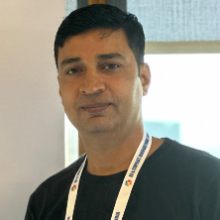
Mahender Pal
Corner MVP Principal consultant


Siap untuk mulai menggunakan AI dan teknologi terbaru? Microsoft Reactor menyediakan acara, pelatihan, dan sumber daya komunitas untuk membantu pengembang, pengusaha, dan startup dibangun berdasarkan teknologi AI dan banyak lagi. Gabung dengan kami!
Siap untuk mulai menggunakan AI dan teknologi terbaru? Microsoft Reactor menyediakan acara, pelatihan, dan sumber daya komunitas untuk membantu pengembang, pengusaha, dan startup dibangun berdasarkan teknologi AI dan banyak lagi. Gabung dengan kami!
 Streaming Langsung
Topik: Aplikasi AI
Bahasa: Inggris
Business Process Automation with Microsoft AI Tools This comprehensive series is designed to help professionals, freelancers, consultants, and business owners master business process automation using Microsoft Copilot Studio and Power Automate.
Participants will learn how to build AI-powered copilots, automate repetitive tasks, streamline business operations, and create intelligent workflows that improve productivity and reduce manual effort.
Throughout the series, you will gain hands-on experience designing automated solutions for real-world business scenarios, including lead management, customer support, employee onboarding, document processing, approval workflows, and data synchronization across Microsoft 365 applications.
By combining the conversational AI capabilities of Copilot Studio with the workflow automation power of Power Automate, you'll learn how to create end-to-end automation systems that can answer questions, perform actions, retrieve data, and assist users across multiple business functions.
Key Learning Outcomes:
By the end of this series, participants will have the skills and confidence to design, build, and deploy intelligent automation solutions that drive efficiency, reduce operational costs, and accelerate business growth.
Pembicara
Mahender Pal
Corner MVP Principal consultant
Sandeep Mishra
Power Automate Community Principal consultant
Sepanjang waktu dalam - Waktu Universal Terkoordinasi
Jul
15
Rabu
2026
Financial Audit Automation Using Microsoft Copilot Studio & Code Interpreter
9.30 AM - 10.30 AM (UTC)
In this session, participants will learn how to leverage Microsoft Copilot Studio and Code Interpreter to automate financial audit processes and gain actionable insights from financial data. The session focuses on transforming traditional manual audit activities into intelligent, AI-driven workflows that improve accuracy, efficiency, and decision-making. Participants will discover how to build an AI-powered audit assistant capable of analyzing financial statements, identifying anomalies, detecting inconsistencies, generating audit summaries, and answering natural language questions about financial records. Key Topics Covered: Introduction to AI-powered financial auditing Understanding Microsoft Copilot Studio for business automation Using Code Interpreter for financial data analysis Uploading and analyzing financial reports and spreadsheets Detecting anomalies, outliers, and compliance risks Generating automated audit findings and summaries Creating conversational audit assistants Building end-to-end audit workflows with AI Hands-On Project: Build a Financial Audit Copilot that can review financial data, identify potential issues, generate audit reports, and provide insights through a conversational interface. Learning Outcomes: Understand AI applications in financial auditing Analyze financial data using Code Interpreter Create intelligent audit assistants with Copilot Studio Automate audit reporting and compliance checks Reduce manual effort while improving audit accuracy By the end of this session, participants will have a working AI-powered financial audit solution and a clear understanding of how to apply Copilot Studio and Code Interpreter to real-world finance and compliance scenarios.
Streaming LangsungTopik: Aplikasi AI
Bahasa: Inggris
Agu
07
Jumat
2026
Build an Employee HR Policy Assistant Using Copilot Studio, Azure AI Foundry, and RA
9.30 AM - 10.30 AM (UTC)
In this practical technical session, you will learn how to build an enterprise Employee HR Policy Assistant using Microsoft Copilot Studio, Azure AI Foundry, Azure AI Search, Azure Blob Storage, AI models, and Retrieval-Augmented Generation (RAG). The assistant will securely search approved HR documents such as employee handbooks, leave policies, travel guidelines, reimbursement rules, remote-work policies, and benefits information to provide accurate, contextual, and source-based answers. During the session, you will learn how to: • Store enterprise HR documents securely in Azure Blob Storage. • Index and retrieve policy information using Azure AI Search. • Use semantic, vector, and hybrid search for better document retrieval. • Configure chat and embedding models in Azure AI Foundry. • Build a RAG-based solution that generates grounded answers from company documents. • Create the employee-facing assistant in Microsoft Copilot Studio. • Display citations and source references in generated responses. • Reduce hallucinations by restricting answers to approved HR content. • Extend the assistant with Power Automate for leave requests, travel approvals, reimbursement requests, and HR escalations. • Publish and use the assistant directly within Microsoft Teams. • Apply Microsoft Entra ID authentication, access control, governance, and monitoring. By the end of the session, participants will understand the complete architecture and implementation approach for building a secure, enterprise-ready HR Policy Assistant using Microsoft Power Platform and Azure AI services.
Streaming LangsungTopik: Aplikasi AI
Bahasa: Inggris
Agu
31
Senin
2026
Build a Recruiter AI Agent Using Outlook, SharePoint, and Microsoft Teams
9.30 AM - 10.30 AM (UTC)
In this practical technical session, you will learn how to build an intelligent Recruiter AI agent that automates resource enquiries using Microsoft Outlook, SharePoint, and Microsoft Teams. The Recruiter AI agent will process incoming resource requirement emails, understand the recruiter’s request, securely search resumes stored in a SharePoint knowledge base, identify suitable candidates, compose a contextual email response, and schedule a Microsoft Teams meeting with the sender. During the session, you will learn how to: • Trigger the Recruiter AI agent when a resource enquiry is received in Outlook. • Extract job requirements, skills, experience, and other relevant information from incoming emails. • Create contextual prompts based on the recruiter’s requirements. • Configure a SharePoint folder containing resumes as the agent’s knowledge base. • Search and retrieve relevant candidate profiles from SharePoint. • Connect knowledge sources and external tools with an AI agent. • Manage the complete workflow from email receipt to candidate recommendation. • Apply access control, data security, governance, error handling, and human approval to recruitment workflows. The session will also include an end-to-end demonstration in which the Recruiter AI agent receives a resource enquiry, searches the SharePoint resume repository, selects relevant candidate profiles, sends a response to the requester, and books a follow-up meeting in Microsoft Teams. By the end of the session, participants will understand the complete architecture and implementation approach for building an enterprise-ready Recruiter AI agent that connects organizational knowledge with email and meeting-management tools.
Streaming LangsungTopik: Aplikasi AI
Bahasa: Inggris
Sepanjang waktu dalam - Waktu Universal Terkoordinasi
Jul
15
Rabu
2026
Financial Audit Automation Using Microsoft Copilot Studio & Code Interpreter
9.30 AM - 10.30 AM (UTC)
In this session, participants will learn how to leverage Microsoft Copilot Studio and Code Interpreter to automate financial audit processes and gain actionable insights from financial data. The session focuses on transforming traditional manual audit activities into intelligent, AI-driven workflows that improve accuracy, efficiency, and decision-making. Participants will discover how to build an AI-powered audit assistant capable of analyzing financial statements, identifying anomalies, detecting inconsistencies, generating audit summaries, and answering natural language questions about financial records. Key Topics Covered: Introduction to AI-powered financial auditing Understanding Microsoft Copilot Studio for business automation Using Code Interpreter for financial data analysis Uploading and analyzing financial reports and spreadsheets Detecting anomalies, outliers, and compliance risks Generating automated audit findings and summaries Creating conversational audit assistants Building end-to-end audit workflows with AI Hands-On Project: Build a Financial Audit Copilot that can review financial data, identify potential issues, generate audit reports, and provide insights through a conversational interface. Learning Outcomes: Understand AI applications in financial auditing Analyze financial data using Code Interpreter Create intelligent audit assistants with Copilot Studio Automate audit reporting and compliance checks Reduce manual effort while improving audit accuracy By the end of this session, participants will have a working AI-powered financial audit solution and a clear understanding of how to apply Copilot Studio and Code Interpreter to real-world finance and compliance scenarios.
Streaming LangsungTopik: Aplikasi AI
Bahasa: Inggris
Agu
07
Jumat
2026
Build an Employee HR Policy Assistant Using Copilot Studio, Azure AI Foundry, and RA
9.30 AM - 10.30 AM (UTC)
In this practical technical session, you will learn how to build an enterprise Employee HR Policy Assistant using Microsoft Copilot Studio, Azure AI Foundry, Azure AI Search, Azure Blob Storage, AI models, and Retrieval-Augmented Generation (RAG). The assistant will securely search approved HR documents such as employee handbooks, leave policies, travel guidelines, reimbursement rules, remote-work policies, and benefits information to provide accurate, contextual, and source-based answers. During the session, you will learn how to: • Store enterprise HR documents securely in Azure Blob Storage. • Index and retrieve policy information using Azure AI Search. • Use semantic, vector, and hybrid search for better document retrieval. • Configure chat and embedding models in Azure AI Foundry. • Build a RAG-based solution that generates grounded answers from company documents. • Create the employee-facing assistant in Microsoft Copilot Studio. • Display citations and source references in generated responses. • Reduce hallucinations by restricting answers to approved HR content. • Extend the assistant with Power Automate for leave requests, travel approvals, reimbursement requests, and HR escalations. • Publish and use the assistant directly within Microsoft Teams. • Apply Microsoft Entra ID authentication, access control, governance, and monitoring. By the end of the session, participants will understand the complete architecture and implementation approach for building a secure, enterprise-ready HR Policy Assistant using Microsoft Power Platform and Azure AI services.
Streaming LangsungTopik: Aplikasi AI
Bahasa: Inggris
Agu
31
Senin
2026
Build a Recruiter AI Agent Using Outlook, SharePoint, and Microsoft Teams
9.30 AM - 10.30 AM (UTC)
In this practical technical session, you will learn how to build an intelligent Recruiter AI agent that automates resource enquiries using Microsoft Outlook, SharePoint, and Microsoft Teams. The Recruiter AI agent will process incoming resource requirement emails, understand the recruiter’s request, securely search resumes stored in a SharePoint knowledge base, identify suitable candidates, compose a contextual email response, and schedule a Microsoft Teams meeting with the sender. During the session, you will learn how to: • Trigger the Recruiter AI agent when a resource enquiry is received in Outlook. • Extract job requirements, skills, experience, and other relevant information from incoming emails. • Create contextual prompts based on the recruiter’s requirements. • Configure a SharePoint folder containing resumes as the agent’s knowledge base. • Search and retrieve relevant candidate profiles from SharePoint. • Connect knowledge sources and external tools with an AI agent. • Manage the complete workflow from email receipt to candidate recommendation. • Apply access control, data security, governance, error handling, and human approval to recruitment workflows. The session will also include an end-to-end demonstration in which the Recruiter AI agent receives a resource enquiry, searches the SharePoint resume repository, selects relevant candidate profiles, sends a response to the requester, and books a follow-up meeting in Microsoft Teams. By the end of the session, participants will understand the complete architecture and implementation approach for building an enterprise-ready Recruiter AI agent that connects organizational knowledge with email and meeting-management tools.
Streaming LangsungTopik: Aplikasi AI
Bahasa: Inggris