Microsoft Foundry on Windows

A unified, reliable and secure platform supporting the AI developer lifecycle from model selection, fine-tuning, optimizing, and deployment across CPU, GPU, NPU, and cloud.

Integrate Windows AI APIs Build smarter apps with AI models optimized for on-device inferencing on Windows. View all Windows AI APIs
Phi Silica

Small yet powerful language model to generate text.

Text Recognition (OCR)

Recognize text in images.

Image Super Resolution

Upscale your images using local AI models.

Image Segmentation

Identify specific objects in an image.

Image Description

Generate various types of text descriptions for an image.

Object Erase

Retouch your images and remove unwanted objects.

Customize Windows inbox models with your own data

Use LoRA for Phi Silica to customize the on-device small language model with your own data. Build your vector store and bring semantic and lexical search in your apps using Semantic Search and Knowledge Retrieval.

Learn about Windows inbox models
Deploy open-source models with Foundry Local Find and integrate popular open-source language models with the Foundry Local CLI shipping on every Windows device.

Microsoft Foundry on Windows integrates Foundry Local, offering developers quick access to ready-to-use open-source models on Windows Silicon. This offers the ability for developers to browse, test, interact and deploy models in their local apps. With the Foundry Local model catalog, we have done the heavy-lifting of optimizing these models across CPUs, GPUs and NPUs, making them ready-to-use.
Get started with Foundry Local
Run your model on every device with Windows ML
Deploy AI models across any silicon, effortlessly Windows ML serves as the core of our AI platform and the integrated AI inferencing runtime on Windows. It allows developers to use their own models and deploy them efficiently across a broad silicon partner ecosystem, including AMD, Intel, NVIDIA, and Qualcomm, supporting CPU, GPU, and NPU architectures. Más información
Tools to get you started Check out these developers tools, samples and tutorials to get started with Microsoft Foundry on Windows. Check out samples and tools
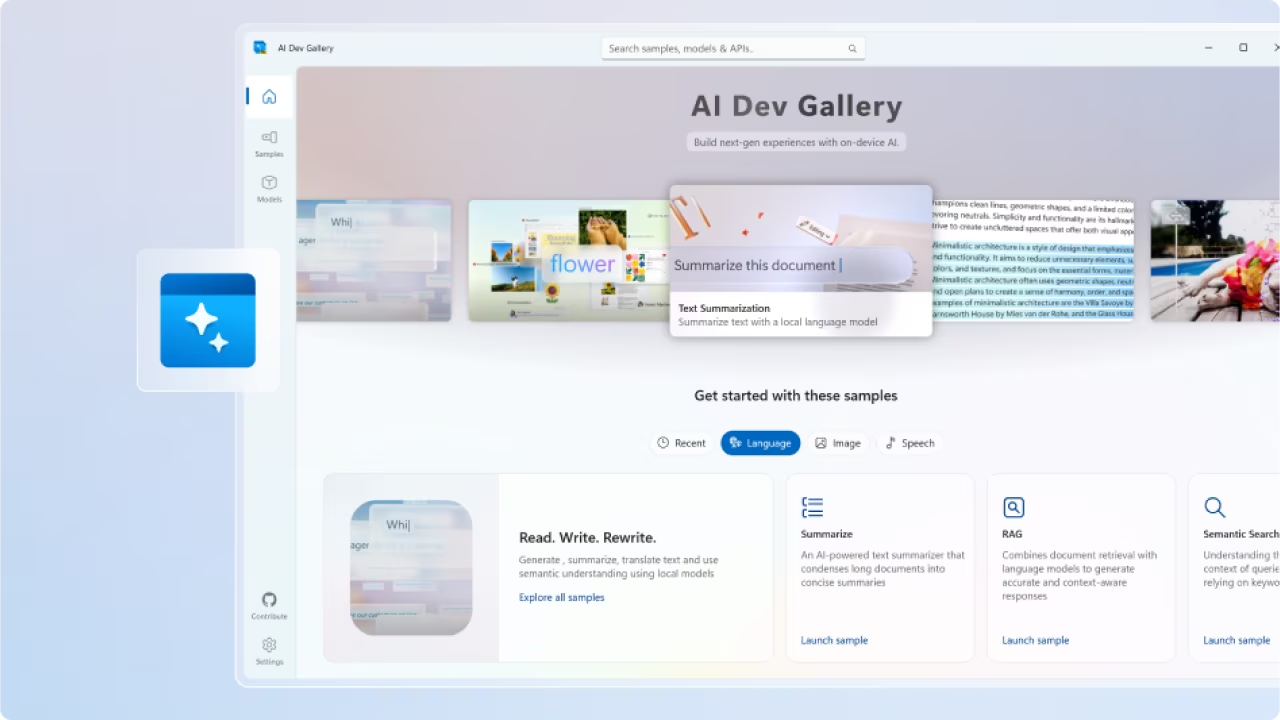
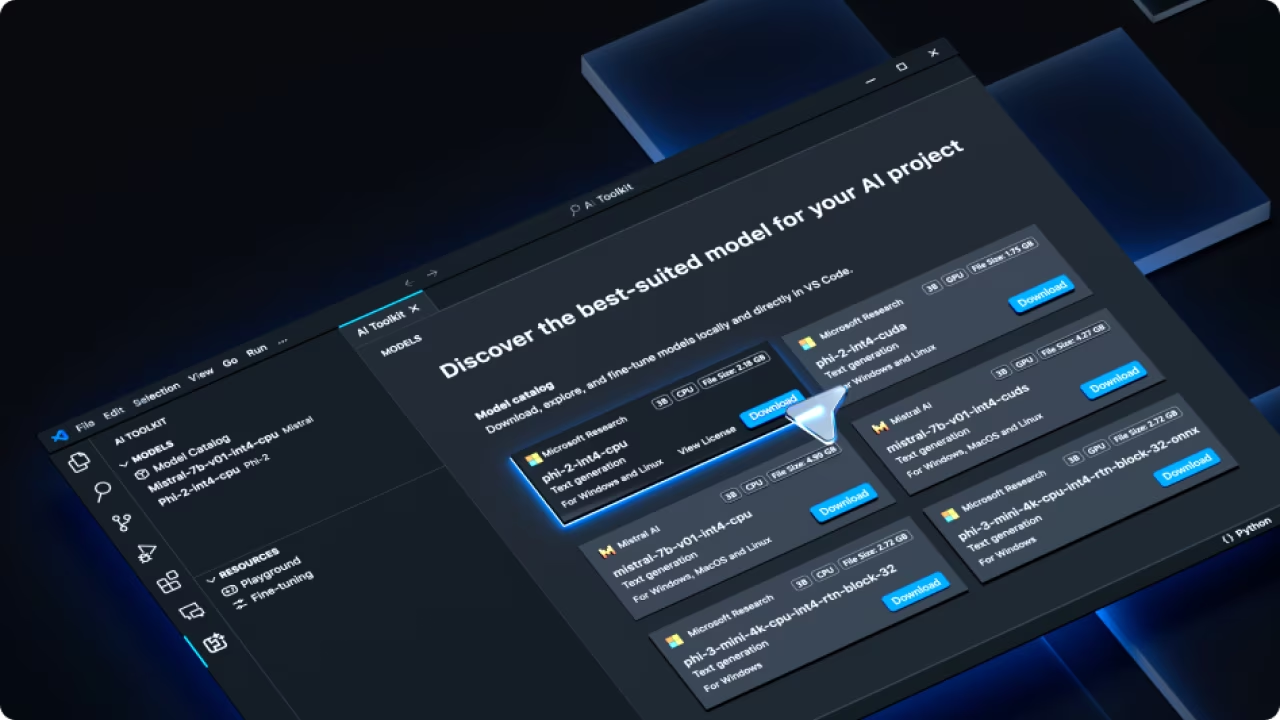
AI Dev Gallery Get started with local AI by exploring samples, testing APIs, and viewing source code. AI Dev Gallery is a great place to begin your AI jouney. Más información AI Toolkit for VS Code The AI Toolkit for Visual Studio Code provides tools and a model catalog to help jump-start local AI development and deployment. Más información
Testimonials
Hear why devs are excited about Windows ML Hear from app developers how Windows ML empowers them to efficiently create AI-driven Windows applications, maximizing the potential of on-device AI. Más información Learn why hardware partners support Windows ML Microsoft has partnered with independent hardware vendors to bring Windows ML to Windows app developers. Discover why these leading industry players recognize the potential of Windows ML and how they believe it will empower developers working on Windows applications. Más información Inside look: Developers on the power of Windows AI APIs Developers are using Windows AI APIs to integrate AI into their applications. These custom-built APIs, designed to work with Copilot+ PC hardware, enable a variety of AI-driven features. Learn how partners are incorporating AI seamlessly and enhancing their app capabilities. Más información