

Introducing Azure canvases for GitHub Copilot
Azure work often spans discovery, analysis, and action. With Azure canvases for GitHub Copilot, those steps can happen in an interactive workspace alongside your conversation with Copilot. Instead of managing results entirely in chat, you can browse resources, explore cost data, and guide a workflow in a purpose-built interface while Copilot remains available to help.
Today, we’re publishing three Azure canvases through the Awesome Copilot marketplace.
Make Azure work interactive
Canvas extensions bring interactive tools such as dashboards, editors, and guided workflows directly into the GitHub Copilot app. You and your agent share a workspace where you can see progress, make changes, and approve next steps without digging through chat history.
Routine interactions, such as filtering a table or selecting an option, can run directly in code rather than requiring another model call. That means less waiting and fewer AI credits spent on simple tasks, while keeping the agent available when you need its help.
To learn more about canvases, see How canvases make agentic workflows visible, steerable, and cost-efficient.
Meet the Azure canvases
| Canvas | Use it to |
|---|---|
| Azure Functions Hosted Skills | Build, run, and deploy hosted skills with Azure Functions. |
| Azure Resources Query | Browse a read-only view of resources across selected subscriptions. |
| Azure Cost Health Check | Analyze cost, forecast, budget, governance, and AI billing in a shared dashboard. |
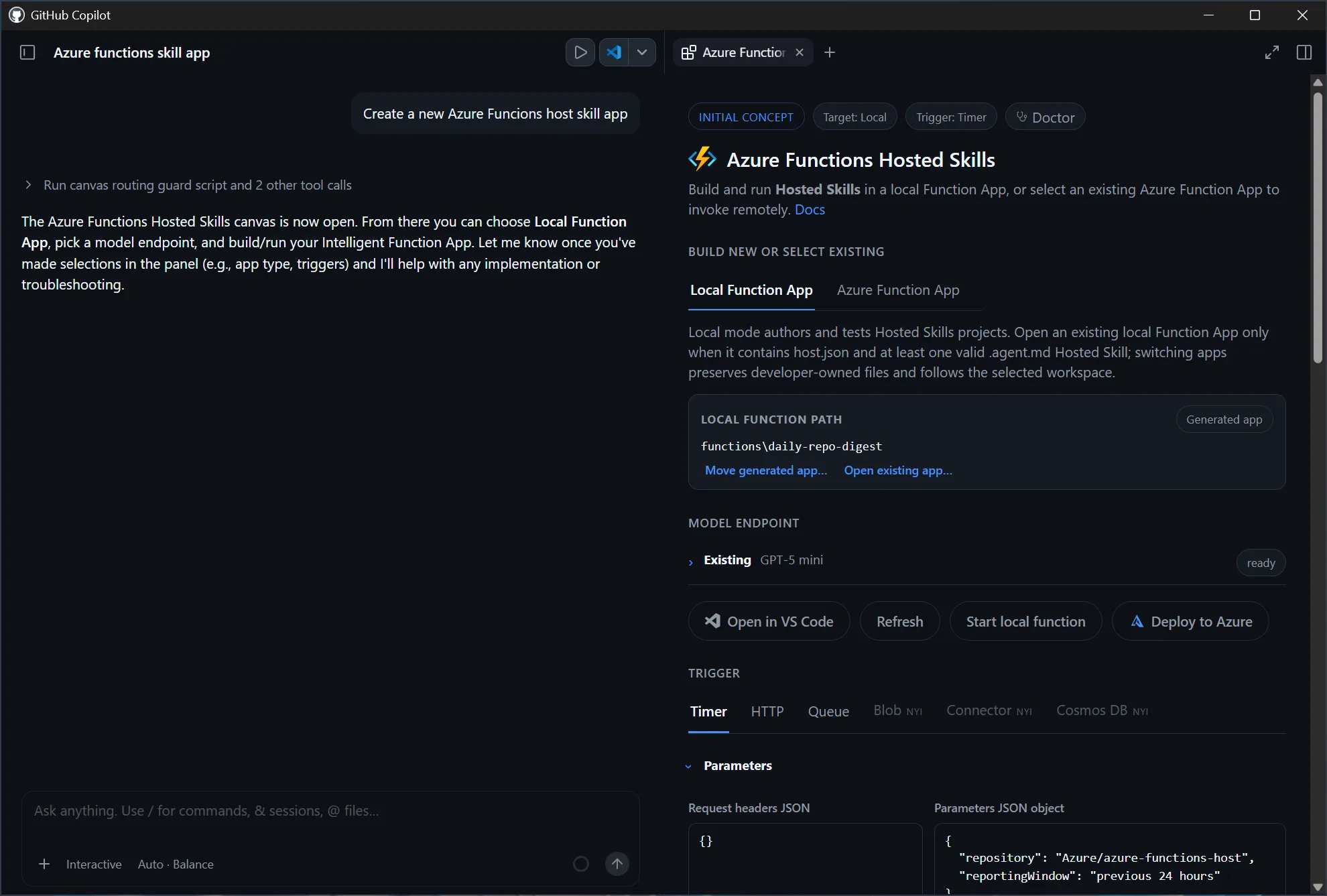
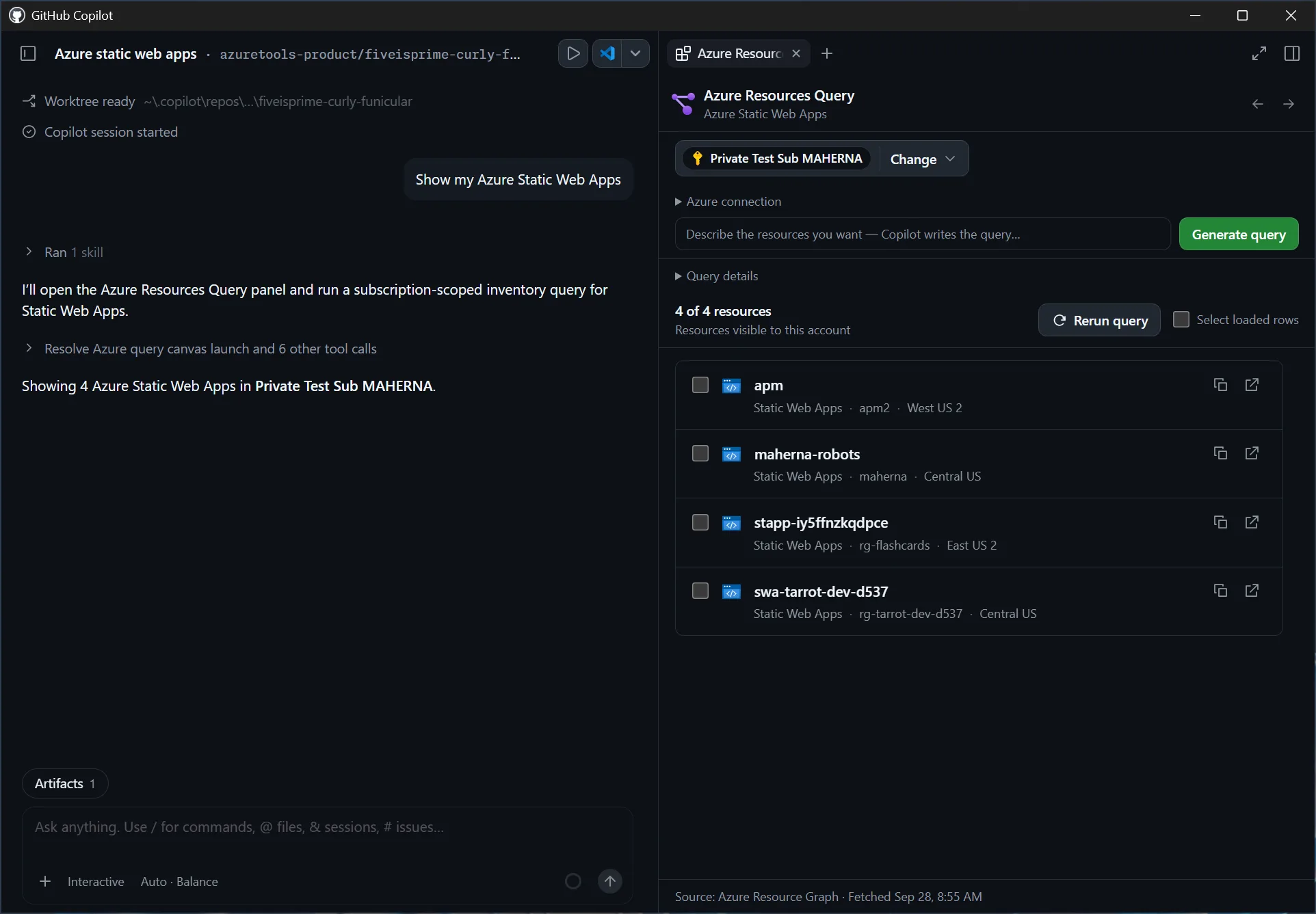
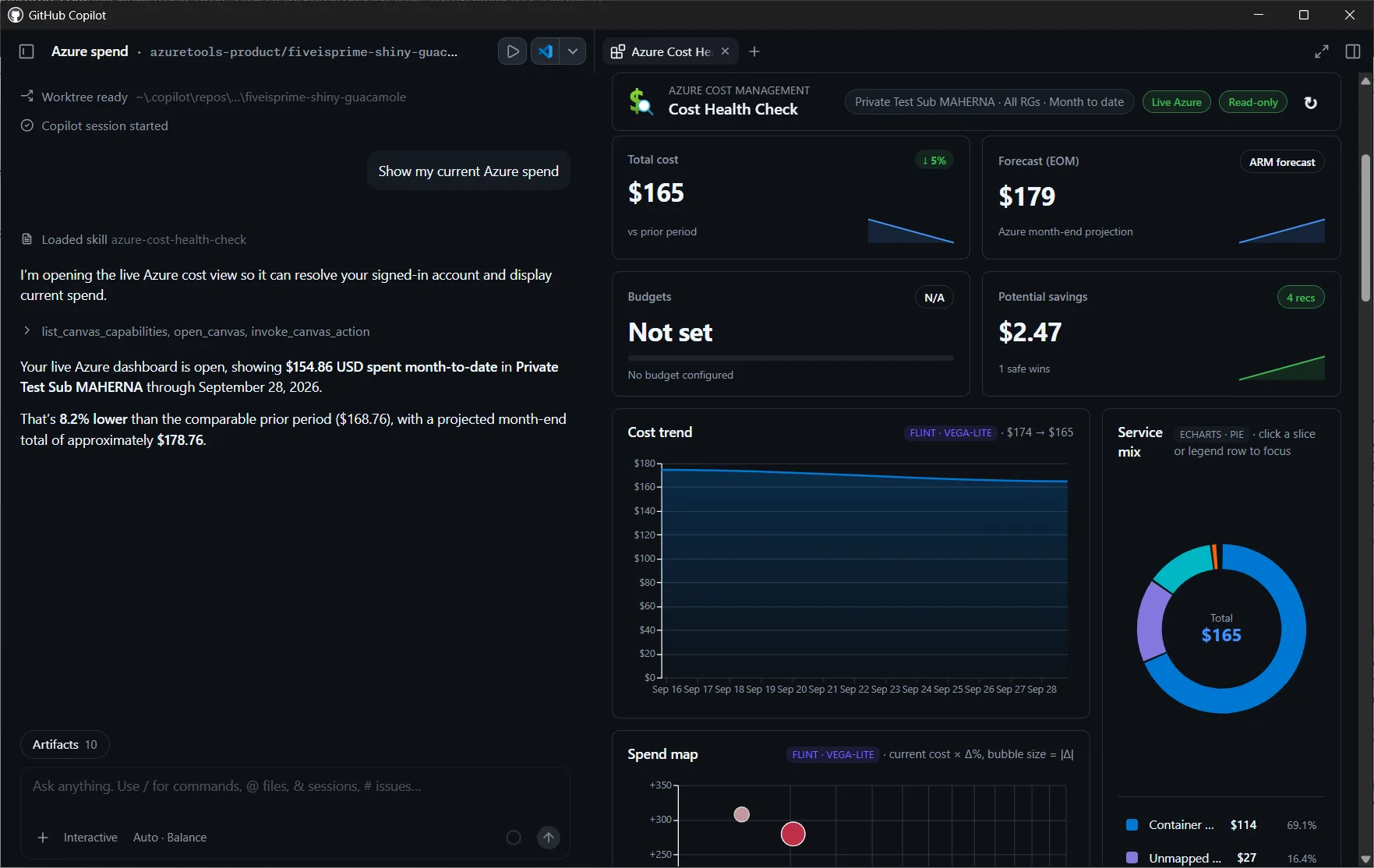
Whether you’re building an automated workflow, finding resources across environments, or understanding spend, the canvas keeps the relevant controls and information visible while you work with Copilot.
Get started in minutes
The canvases are available as plugins through the
Awesome Copilot marketplace. Before
you begin, install the Azure CLI
and sign in with az login so the canvases can use your Azure identity.
- In the GitHub Copilot app sidebar, select Customize, then Plugins.
- Select the Awesome Copilot marketplace, which is installed by default. Search for an Azure canvas and select Install.
- Start a new session so the plugin’s canvas and skills are available.
- Ask Copilot to start with a task that fits the canvas:
- Azure Functions Hosted Skills: “Create a daily GitHub digest with Azure Functions Hosted Skills.”
- Azure Resources Query: “Show my Function Apps in Development.”
- Azure Cost Health Check: “Analyze Azure costs for subscription
<subscription name or ID>.”
You can also discover featured canvases under Customize > Canvas. Select a canvas, choose Install plugin, then choose New session. The canvas opens beside the chat when Copilot starts the workflow.
Try an Azure canvas today
Install the canvas that matches the Azure task in front of you, start a new Copilot session, and use one of the prompts above to get moving. Explore the Azure canvas projects to learn more and find the right canvas for your workflow.


0 comments
Be the first to start the discussion.