


When an engineer or team creates useful agentic artifacts for their daily work (e.g., instructions, skills, and MCP configurations), others naturally want to adopt them when they see how those artifacts could help with their own work. Sharing the files is straightforward, but keeping those consumers supplied with fixes, updated guidance, and compatible tool configurations requires a way to maintain and distribute those artifacts.
That challenge shaped our work with a large enterprise customer as we designed and built a migration and modernization toolkit together. Their internal and third-party engineering teams needed a consistent way to apply the customer’s architecture guidance, tools, and delivery practices while modernizing thousands of applications. We packaged and distributed those capabilities through GitHub Copilot plugins, and we’ll walk through the choices we made, the trade-offs behind them, and how you can adapt the approach to your own engineering workflows.
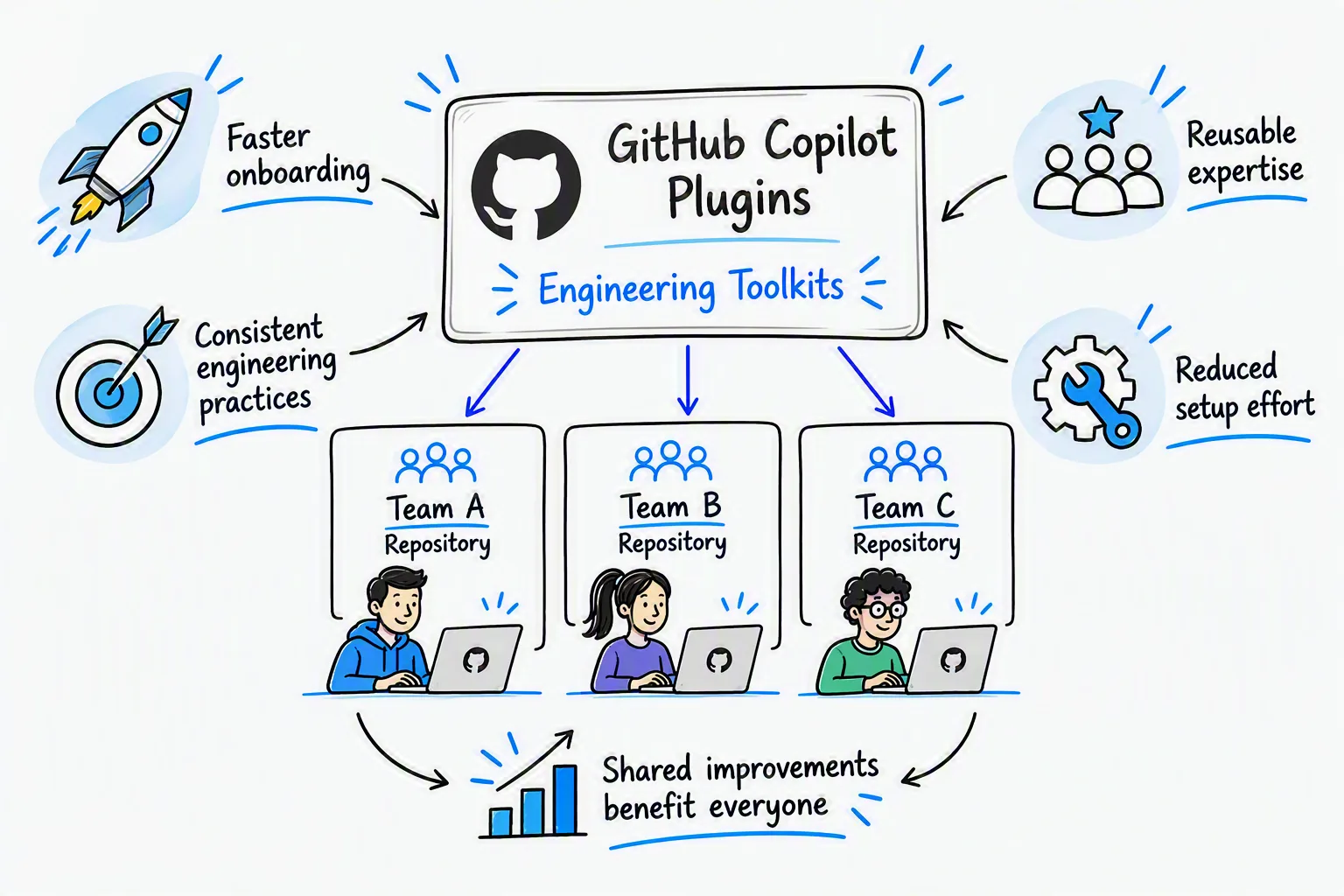
This work applied platform engineering practices to AI-assisted engineering workflows. We maintained shared capabilities as a versioned toolkit that teams could install in their existing development environments, while keeping application-specific context and decisions in their repositories.
Making adoption and updates manageable
We needed to distribute these artifacts together, with a way for maintainers to release changes and engineers to adopt them. Copying files into each application repository would leave teams responsible for reconciling shared updates with their local changes. GitHub Copilot plugins gave us an installable, versioned package for those artifacts.
We also wanted to avoid building and maintaining our own mechanism for packaging and loading these artifacts. Using Copilot’s existing plugin support let us focus on the toolkit’s content and release practices. Its support for the open Agent Plugins specification also provides a path to reuse skills and MCP configurations across compatible clients, while custom agents and hooks depend on client-specific support.
The engineering teams typically use VS Code and GitHub Copilot CLI, both of which support Copilot plugins. That let us bring the toolkit into familiar clients instead of requiring each team to assemble the configuration independently. Packaging and catalog publication are also separate, so maintainers can develop a plugin before listing it in an internal marketplace.
Versioning was another important requirement. We needed identifiable releases so that, when an engineer reported a problem, we could establish which version they were using and investigate the corresponding configuration and instructions. Including the installed version in a bug report provides that context without assuming centralized visibility into every installation. Versioned releases also provide a basis for testing updates before wider adoption and planning a return to a known working version. A rollback plan still needs retained releases and a verified recovery procedure for the client and installation source in use.
Deciding what belongs in the plugin
With the package format chosen, we needed to select the content teams would install together. We focused on artifacts that supported recurring engineering tasks across application repositories and that we could maintain as shared guidance or configuration. The customer’s migration constraints, agent instructions, and tool connections belonged in that shared package. Application-specific evidence and decisions needed to remain with the teams responsible for those applications.
Consider an engineer preparing a migration plan. The plugin supplies the planning agent’s instructions, a migration-context skill with the program’s constraints and terminology, and MCP configuration for the tools the workflow uses. Bundling those pieces lets maintainers release changes to the workflow together and saves each team from assembling the same guidance and connections independently.
The application repository supplies the other half of that example: the source code, existing documentation, and service-specific decisions needed to make the plan useful. The resulting migration plan also stays there, so the team can review and evolve it alongside the application. Credentials and access come from the consumer’s environment. Distributing a tool connection’s configuration does not grant access to the system behind it.
This boundary gives maintainers a shared release to support while leaving application context under each team’s ownership. It also keeps independently maintained resources in their existing homes: approved architecture templates retain their own repositories and release history, with the skill referencing their source. The trade-off is that installing the plugin provides the reusable workflow, but teams still need the application context, referenced resources, and authorized tool access to use it.
Helping teams discover, install, and update
Distribution did not require a separate hosting service. A Git repository containing the plugin artifacts and manifests was enough to make the package available to authorized consumers through supported clients. We hosted ours in an internal GitHub repository, using a fork of devsquad-copilot as the foundation for the toolkit, and maintained the package through the same pull request and release practices used for other engineering work.
The plugin’s plugin.json manifest describes the package, while the marketplace’s marketplace.json lists the sources and metadata of packages available through the catalog.
Maintainers publish a catalog entry by registering the plugin in the marketplace manifest. Plugins can also be installed directly from a repository, so leaving one out of the marketplace controls its visibility there, not repository access or all installation paths.
Engineers register the internal marketplace in their client and install the packages relevant to their work. The GitHub Copilot CLI plugin reference and VS Code plugin documentation describe the client-specific discovery, installation, and update steps. Consumers still need repository access, an authorized Copilot setup, and the credentials, network access, and runtimes required by the configured tools.
Publishing a release did not mean every team adopted it immediately. An update might change the planning agent’s instructions. A team that installs it receives the revised guidance, while another still uses the previous version. If those teams report different behavior, the installed plugin version becomes one detail to check. Update behavior depended on the client’s settings and the package source, so publishing a release did not guarantee that every team was using it.
How the components support engineering work
Recurring migration and modernization tasks shaped the toolkit’s components. The customer’s architecture guidance provided the starting point, and the packaged components helped engineers and agents apply it to individual applications. Teams could use the capabilities relevant to their work without adopting the entire delivery process.
The plugin included a migration specification template to support teams adopting spec-driven development. It covered the current system, intended target, dependencies, test scenarios, success criteria, and rollback expectations. Engineers could refine that specification as implementation revealed new constraints or changes in scope. An accompanying architecture decision record template helped capture choices and their rationale. The templates traveled with the plugin, while the resulting documents stayed with the application code.
Working with unfamiliar code also required reliable navigation. We paired a session-start hook that checked for user-level or project-level Language Server Protocol (LSP) configuration with a skill that guided language-server setup in the development environment. The public lsp-setup skill illustrates this setup approach. Configuration alone did not establish readiness, so engineers still needed to confirm that navigation worked in their client.
For application-specific modernization work, we connected the relevant agents to the GitHub Copilot App Modernization MCP Server through the Model Context Protocol (MCP). Its tools supported Java repository assessment, upgrade planning, modernization tasks, builds, tests, dependency vulnerability checks, and migration consistency checks.
Applying the customer’s Azure architecture choices required current technical inputs. Azure MCP provided deployment guidance, pricing information, Bicep schemas, and Terraform practices, along with tools for examining policy and access controls. Microsoft Learn MCP supplied official documentation and code samples that agents could consult when implementing or reviewing an approved integration pattern.
Packaging those connections alongside customer-specific instructions gave teams a shared way to bring architecture guidance, application context, and implementation tools into the same workflow.
Ownership and governance
The toolkit had to coexist with customizations in application repositories and engineers’ personal environments, so we chose distinctive agent and skill names to reduce collisions with local definitions. In Copilot CLI, a project-level agent with the same identifier could take precedence over the packaged version, leaving an engineer running local instructions after installing an update. MCP server configurations needed separate consideration because their loading rules differ.
Alongside naming, each agent’s configuration defined the tools available for its role. Explicit tool lists made that access visible during review and reduced the chance that adding an integration would unintentionally expand an agent’s capabilities. Model selection remained with the consumer or administrator within enterprise policy, allowing teams to evaluate newly available models without requiring a toolkit release just to change a pinned model choice.
These configuration decisions were part of maintaining the toolkit as a shared engineering product, supported by a roadmap, issue backlog, contributions, and releases. Through the inner-source contribution process, internal and third-party engineers could propose improvements for architecture owners to review, helping distinguish reusable changes to shared guidance from decisions that belonged with individual applications.
Find your starting point
Look for recurring workflows where teams assemble the same instructions, references, or tool connections, and choose one as a starting point for a shared plugin. Invite other teams to use it in their own work and share where it fits their needs or requires adjustment.
Use that feedback to refine both the package and the way it is maintained, with clear ownership, a process for releasing updates, and a path for consumers to contribute improvements. As additional workflows become candidates for sharing, apply those lessons to the next plugin so the collection grows around demonstrated needs.
Further reading
- GitHub Copilot plugins: An introduction to plugins and the customizations they bundle.
- Agent Plugins specification: The portable package format, manifest, component discovery, and client-extension requirements.
- Agent Plugins specification: future considerations: Open questions and areas outside the current specification, including permissions, secret handling, and enterprise policy.
- Agent plugins in VS Code: Supported formats, marketplace installation, updates, and cross-client compatibility.
- Copilot CLI plugin reference: Plugin and marketplace commands, configuration, and loading precedence.
- devsquad-copilot: The open-source framework we used as the foundation for the customer toolkit.
- GitHub Copilot App Modernization for Java: The upgrade and migration tooling used in the program’s Java workflows.


0 comments
Be the first to start the discussion.