Microsoft Foundry on Windows

Leverage ready-to-use Windows AI APIs for on-device AI experiences, Foundry Local for running OSS models on-device, or Windows ML to bring your own model.

Windows AI APIs now available for CPU and GPU Build powerful AI experiences with Windows AI APIs beyond Copilot+ PCs for the first time, now available in preview. From on-device language capabilities with Phi Silica on GPU to speech recognition and video super resolution on CPU, all with silicon-level integration, accelerate development with high-performance tools designed for modern applications. Learn more about Windows AI APIs
Phi Silica

Small yet powerful language model to generate text.

Speech recognition

Real-time speech-to-text.

Video super resolution

Enhance low-res videos despite compression limits.

Foundry Local is generally available

Find and integrate popular open-source models with the Foundry Local SDK — now generally available. Get started by experimenting with models in the Foundry Local CLI.
Learn more about Foundry Local
Run custom AI models locally on any Windows device Windows ML is the unified and high-performance local AI inferencing framework for Windows that lets you run your own custom or open-source models on any Windows device. Build once, and scale across GPUs, NPUs, and CPUs with built-in hardware acceleration from AMD, Intel, NVIDIA, and Qualcomm. Reduce your app size by using the shared system-copy of runtime dependencies, and improve predictability by using the Windows-maintained version of runtime dependencies. Get started with Windows ML

Windows ML CLI — new tooling to prep your models

To help you prep and optimize your models for Windows ML, try out the brand-new Windows ML CLI, now available in preview. With the Windows ML CLI, you get a one-stop toolchain and set of agent skills to convert, optimize, and benchmark your models. The CLI is available on Github and built to integrate with AI workflows and agents, so you can incorporate it into your AI-driven development workflow.

Learn more about Windows ML CLI
Everything you need to get started
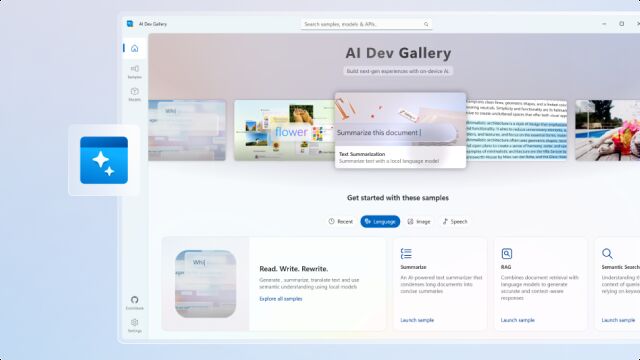
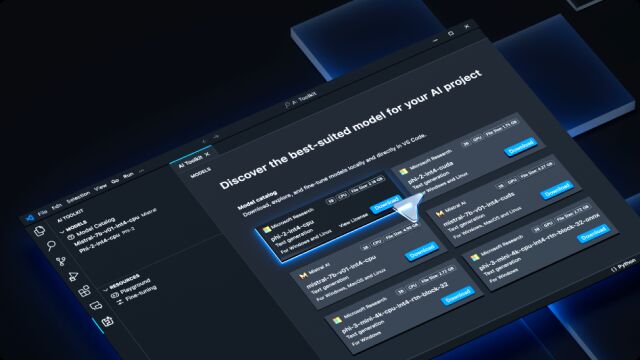
Start your AI journey with AI Dev Gallery Get started with local AI by exploring samples, testing APIs, and viewing source code! AI Dev Gallery is a great place to begin your AI journey. Learn more about AI Dev Gallery Foundry Toolkit for VS Code The AI Toolkit for Visual Studio Code provides tools and a model catalog to help jump-start local AI development and deployment. Learn more about Foundry Toolkit for VS Code
Windows apps built on Foundry on Windows
Adobe Premiere Pro
Adobe After Effects
Adobe Media Encoder
Animoto
Baidu Netdisk
iQIYI
TeamViewer
Rive
Zoner Photo Studio
Moises
Voicemod
Raycast