
Using the Simplygon Python API to Process 3D Models
A closer look (including code) on how to use the Simplygon Python API to batch process all 3D models in a folder

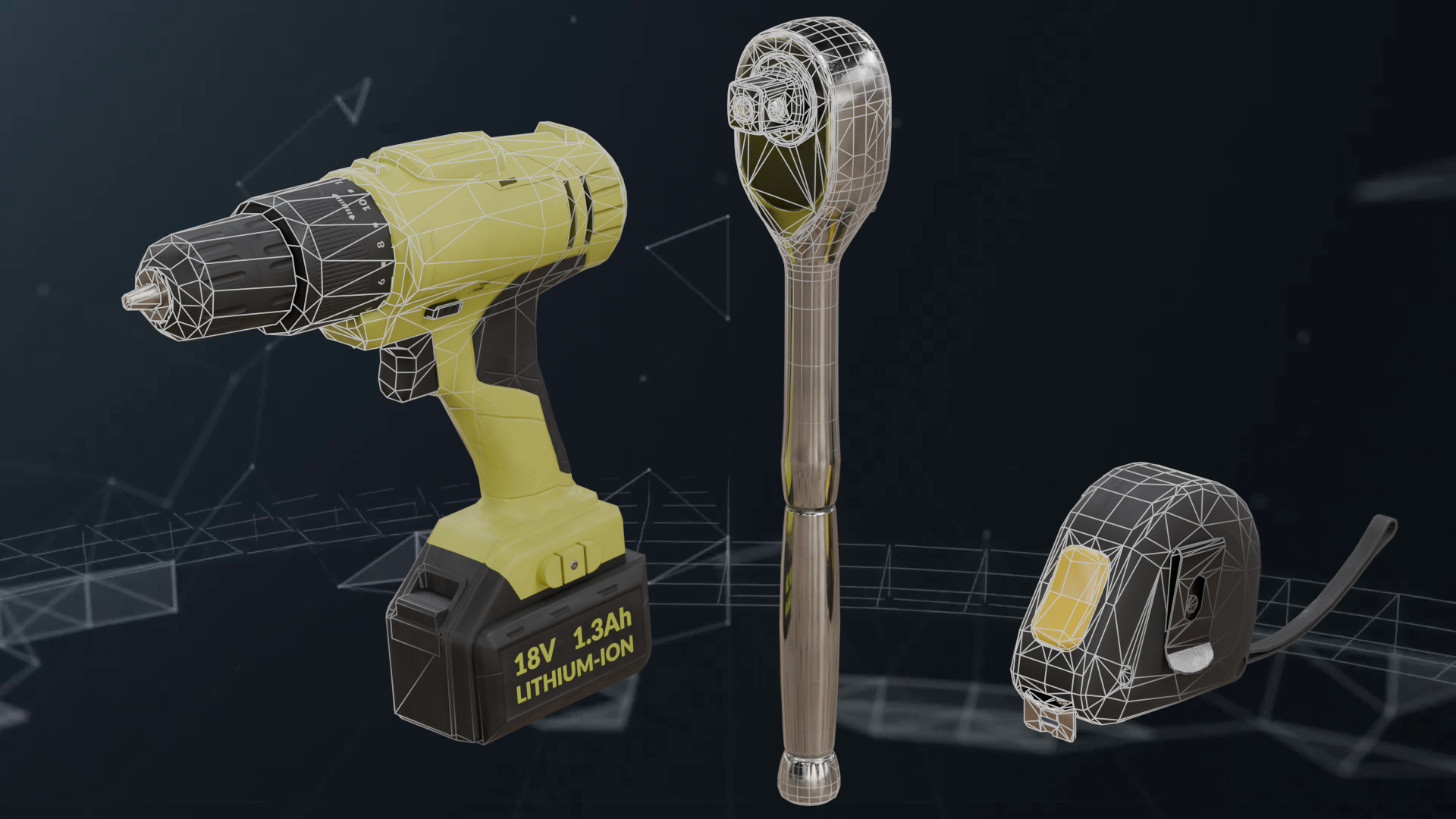
In this tutorial, we will demonstrate how to use the Simplygon Python API to batch process all 3D models in a folder. In this example, we will reduce the polygon count of all FBX files by 50%.
Problem to solve
We have a folder filled with 3D models that need to be optimized for real-time rendering. The goal is to reduce the polygon count while preserving the visual quality of the models. We may want to generate LOD models, or reduce the overall complexity of the models for a less powerful platform.
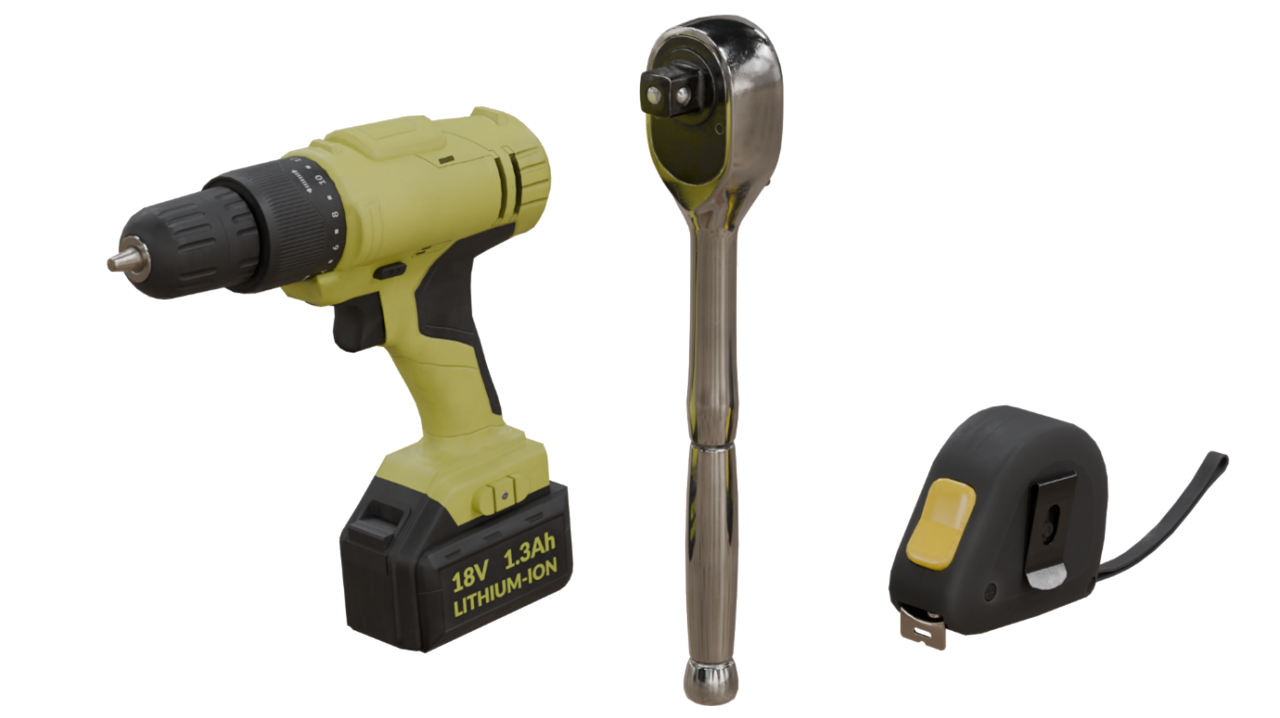
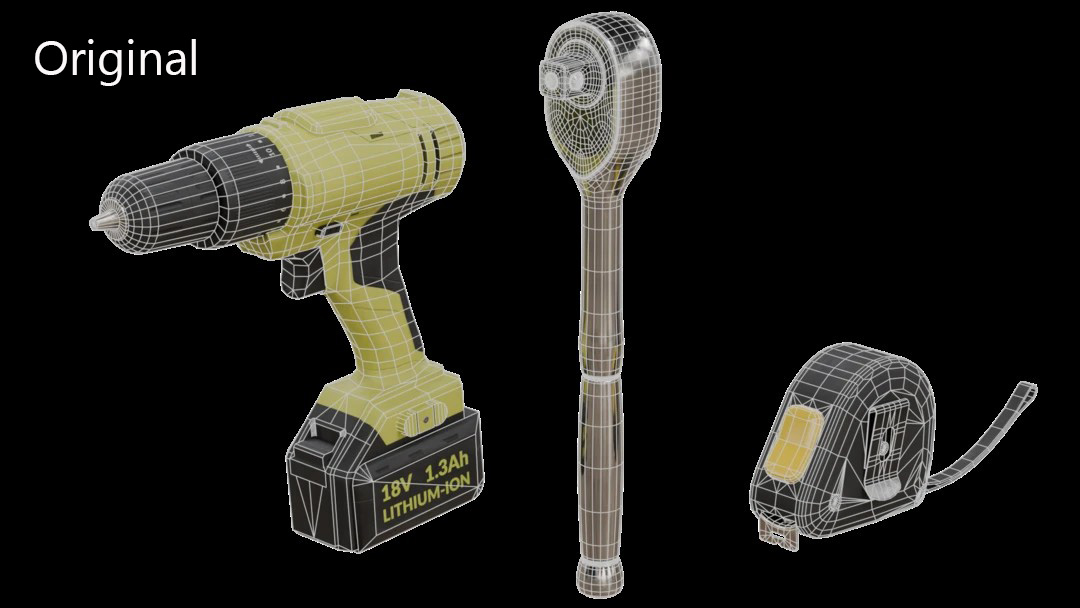
We will use the following three FBX models as examples:
Solution
We will use Simplygon's Python API to create a script that automates the optimization process for all 3D assets in the folder. The script will:
- Load each FBX file in a folder.
- Run Simplygon's Triangle Reducer
- Save the optimized model to a specified output folder.
Simplygon supports other popular model formats like OBJ, glTF, USD, and more. For more information on supported file formats, please refer to the list of supported file formats.
Go through model files in a folder
With the following function, we can iterate through all FBX files in a folder and call process_file, which will handle the optimization part.
def process_folder(input_dir: str, output_dir: str, filetype: str, triangle_ratio: float):
for asset_file in os.listdir(input_dir):
if asset_file.endswith(filetype):
input_file = os.path.join(input_dir, asset_file)
output_file = os.path.join(output_dir, asset_file)
print("Optimizing {}...".format(input_file))
process_file(input_file, output_file, triangle_ratio)
print("Saved to {}.".format(output_file))
Optimize model with Simplygon
Now let us use Simplygon to optimize the 3D model. This function is the only part of our script that contains Simplygon-specific code, and it is a very small function.
We start by initializing Simplygon and creating a triangle reduction pipeline. We set the desired triangle ratio for our pipeline. If we want to set additional settings, we can do it here as well.
Once that is done, we can call RunSceneFromFile, which handles loading our file, running the specified pipeline, and saving the output result.
def process_file(input_file: str, output_file: str, triangle_ratio: float):
sg = simplygon_loader.init_simplygon()
reduction_pipeline = sg.CreateReductionPipeline()
reduction_settings = reduction_pipeline.GetReductionSettings()
reduction_settings.SetReductionTargetTriangleRatio(triangle_ratio)
reduction_pipeline.RunSceneFromFile(input_file, output_file, Simplygon.EPipelineRunMode_RunInNewProcess)
del sg
Result
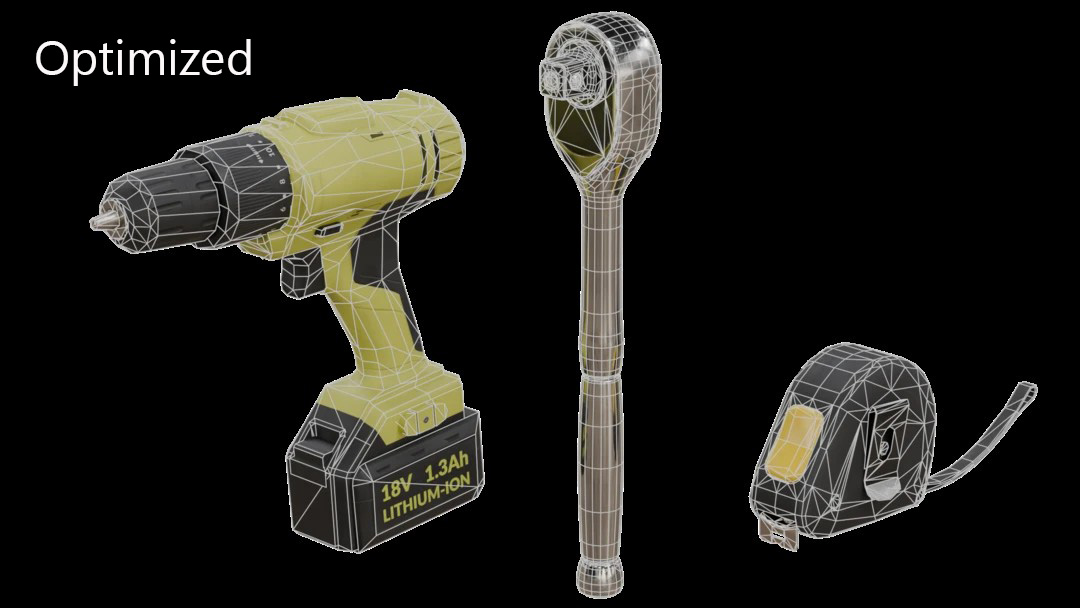
Now let us process the assets. As expected, our output files have half the input triangle count.
| Asset | Original | Optimized |
|---|---|---|
| Drill_01 | 2.9k tri | 1.4k tri |
| measuring_tape_01 | 2.8k tri | 1.4k tri |
| ratchet_wrench | 8.8k tri | 4.4k tri/td> |
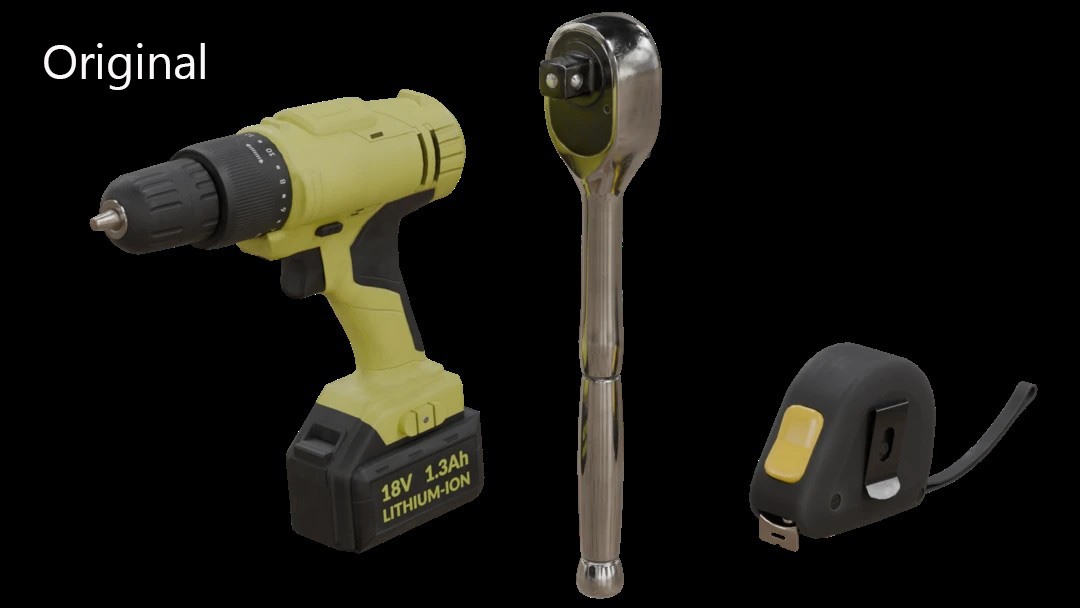
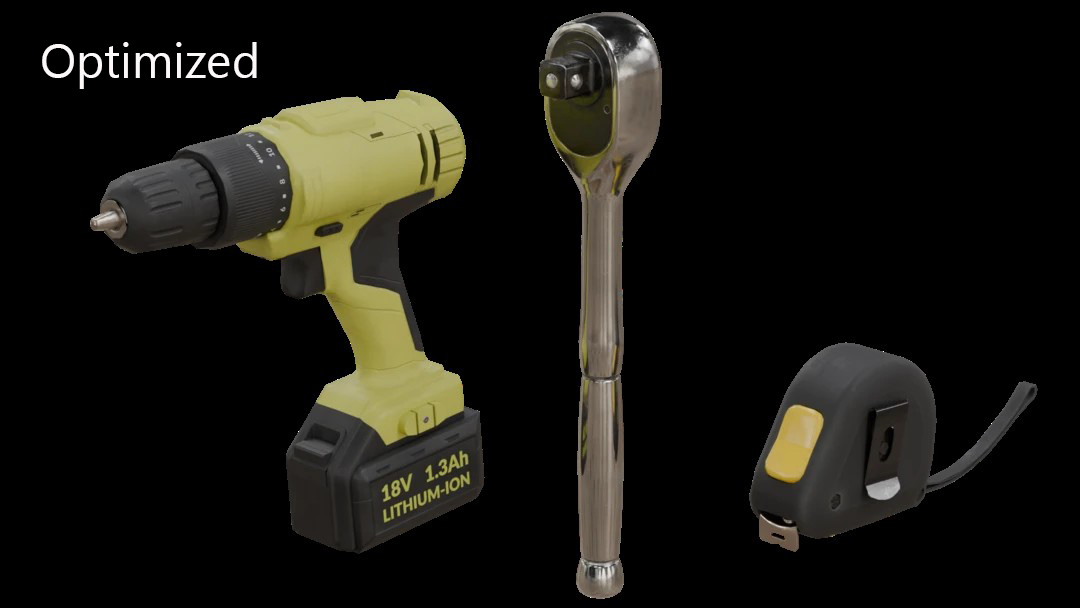
Now let us visually compare the assets. We can see that they look very close to the original; in most cases, there are only minor artifacts caused by changes in normals. The optimization is a little more apparent on the drill compared to the other assets.
If we inspect the wireframe, we can see which areas have been affected.
So, using Simplygon's Python API, we can easily optimize our models in batch. If you are interested in testing this out with your own models, head over to the Simplygon website to request an evaluation.
Next steps
Now we can easily optimize lots of models at once. What is the suggested next step?
Use better reduction target
To start, we do not really suggest using triangle ratio as an optimization target. The reason is that it is very hard to find a suitable ratio that works for many different models. In our example, the ratchet wrench had almost three times the triangle count of the other assets, so after optimization it was less optimized than the other two. We should not focus only on triangle count when measuring quality; some assets require more triangles than others because they are more complex. Using a fixed triangle count is not a solution either.
Instead, we suggest using deviation or screen size as the reduction target. With these, you work backwards; instead of optimizing towards a specific triangle count, you specify the quality you want and optimize towards that. Further reading on why triangle ratio is a poor optimization target can be found in the blog Calculating LOD transitions when using triangle ratio as reduction target.
Generate multiple LOD levels
We currently only generate one optimized version of our model. If we wanted to create an entire LOD chain, we could use several reduction pipelines to generate multiple versions per model. These pipelines can be run in a cascaded fashion, meaning that the previous LOD is used as input. This is covered in the blog Automating your asset pipeline.
Distributed processing
If we want to optimize a huge collection of assets, we can use Simplygon's Distributed Batch Processing. This allows us to run the processing easily on multiple machines. How to do this is covered in the blog Scripting a Python batch processor with distribution and progress observing.
Complete script
from simplygon10 import simplygon_loader
from simplygon10 import Simplygon
import os
def process_folder(input_dir: str, output_dir: str, filetype: str, triangle_ratio: float):
for asset_file in os.listdir(input_dir):
if asset_file.endswith(filetype):
input_file = os.path.join(input_dir, asset_file)
output_file = os.path.join(output_dir, asset_file)
print("Optimizing {}...".format(input_file))
process_file(input_file, output_file, triangle_ratio)
print("Saved to {}.".format(output_file))
def process_file(input_file: str, output_file: str, triangle_ratio: float):
sg = simplygon_loader.init_simplygon()
reduction_pipeline = sg.CreateReductionPipeline()
reduction_settings = reduction_pipeline.GetReductionSettings()
reduction_settings.SetReductionTargetTriangleRatio(triangle_ratio)
reduction_pipeline.RunSceneFromFile(input_file, output_file, Simplygon.EPipelineRunMode_RunInNewProcess)
del sg
def main():
process_folder("input", "output", ".fbx", 0.5)
if __name__== "__main__":
main()